Global Toolbox Control
Easily enable or disable all Toolbox features site-wide with a single toggle.

Shortcodes for product and variation data, low-stock alerts, invoice and checkout tools, customer portal tweaks, order status labels, and custom login styling with Google Login.

The Toolbox add-on gives your FluentCart store a powerful set of enhancements, smart utilities, improved UI controls, and quality-of-life features that make checkout smoother, orders clearer, and workflow easier. Everything is built natively for FluentCart’s design system.
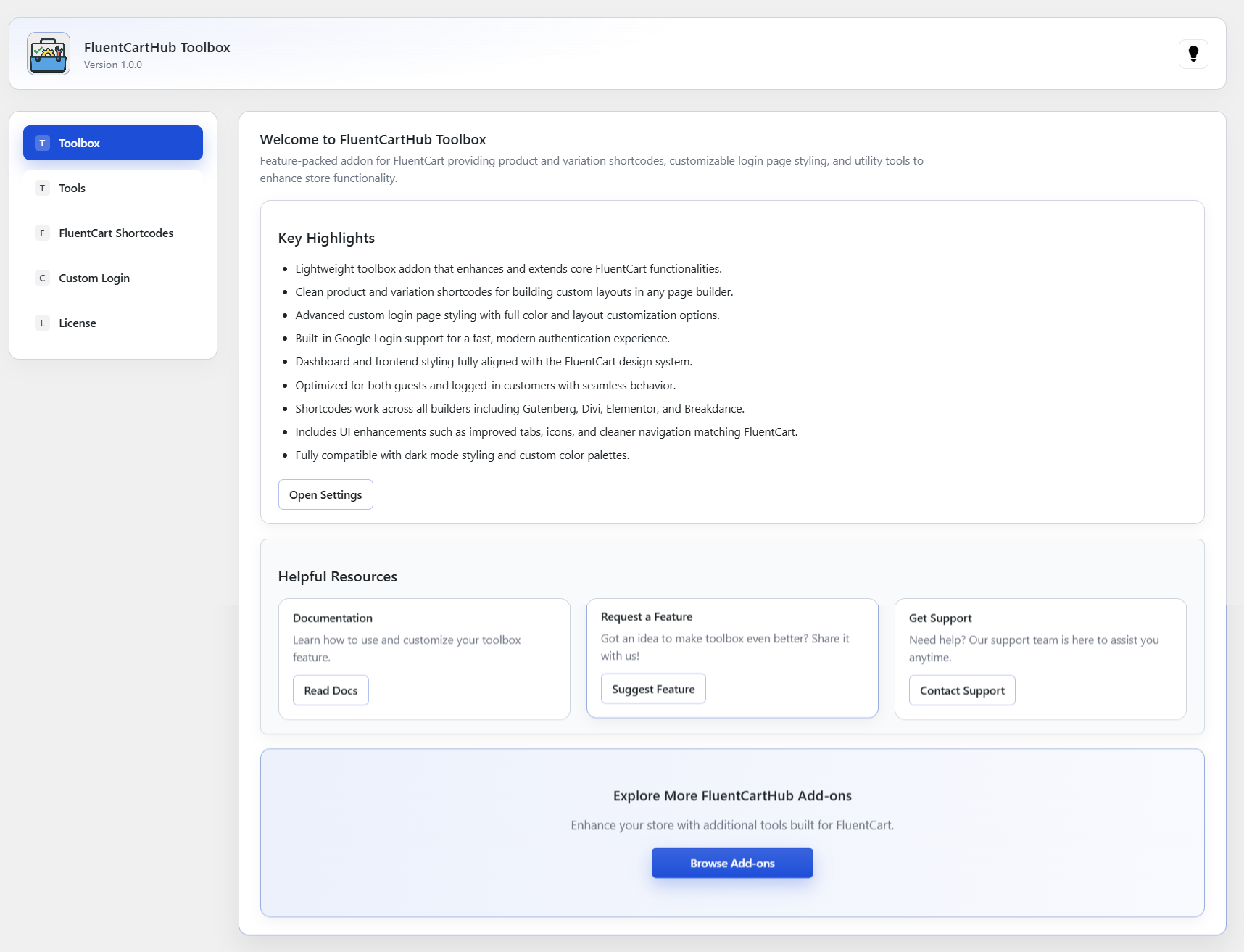
The welcome dashboard provides a clear, friendly introduction to the Toolbox add-on. It highlights the key features, offers quick access to documentation, lets you submit feature requests, and provides direct links to support. From here, you can jump straight into the advanced settings and explore all available tools. The layout is intentionally simple, organized, and easy to navigate, helping you understand the add-on at a glance and start customizing your FluentCart store immediately.
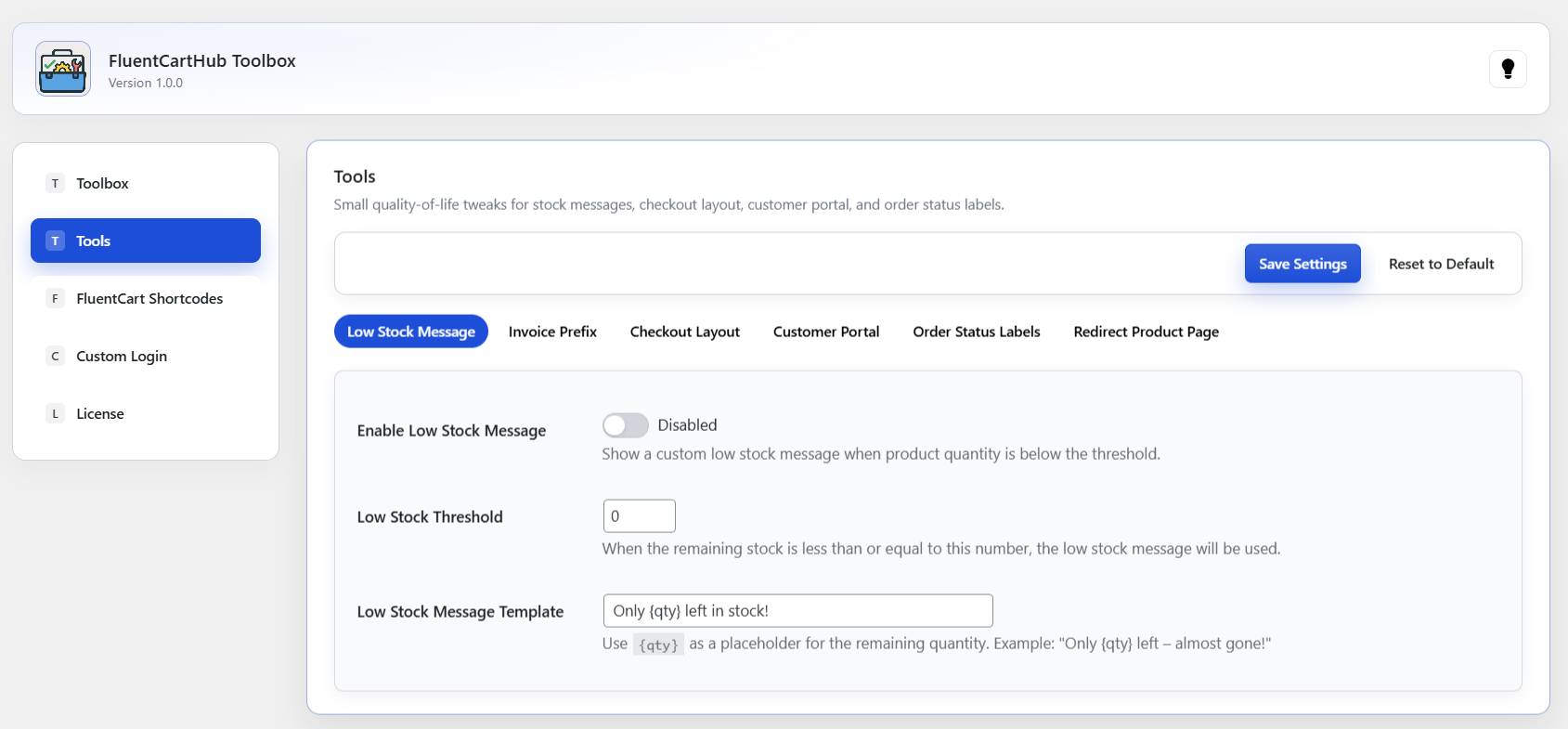
Boost conversions by showing a gentle urgency message when product quantity is low. Toolbox lets you personalize the message and automatically insert the remaining quantity using {qty}. Perfect for limited-stock items.
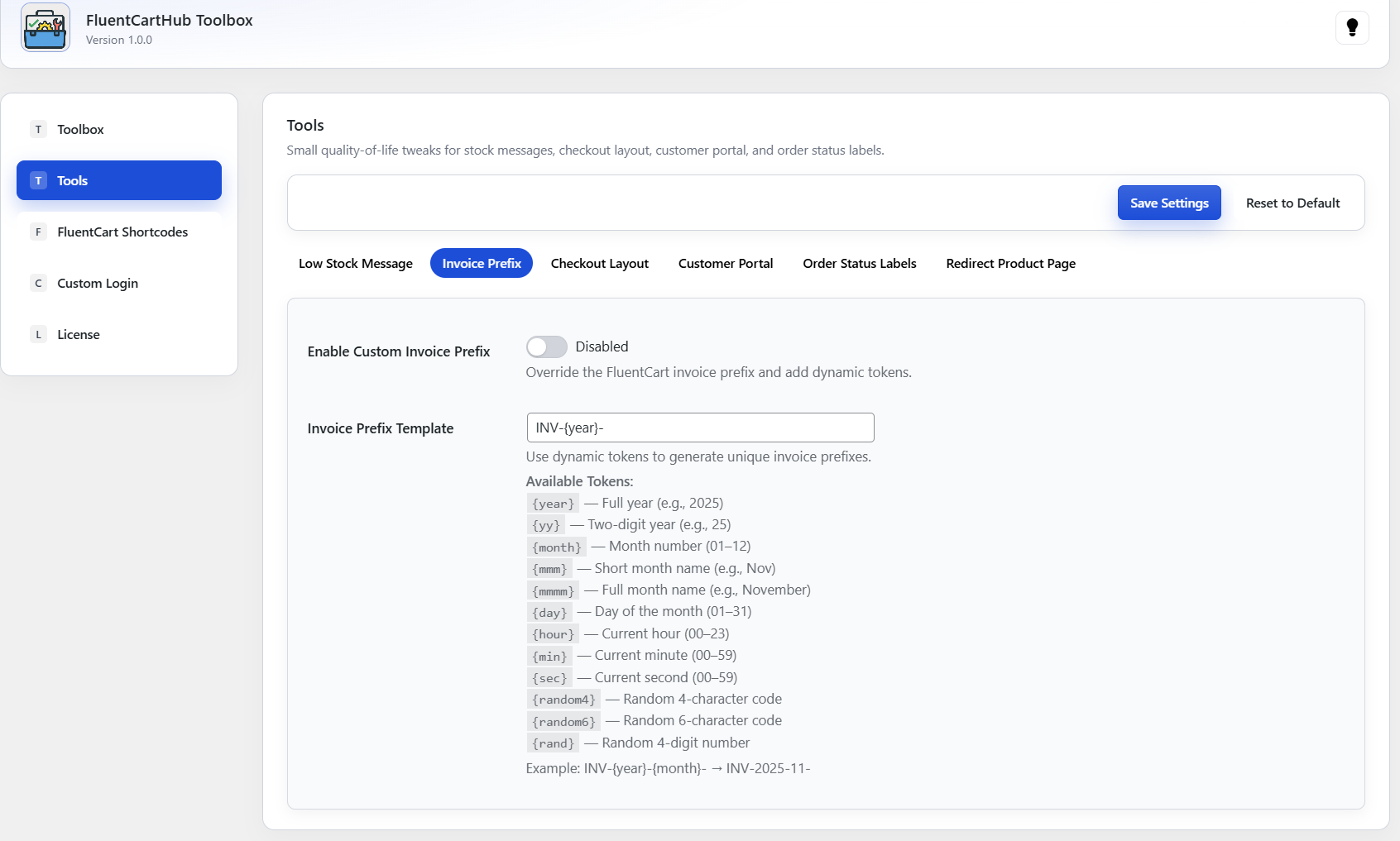
Create clean, branded invoice numbers using dynamic tokens like date, month, year, or random digits. It keeps your store’s accounting organized and gives each invoice a professional identity.
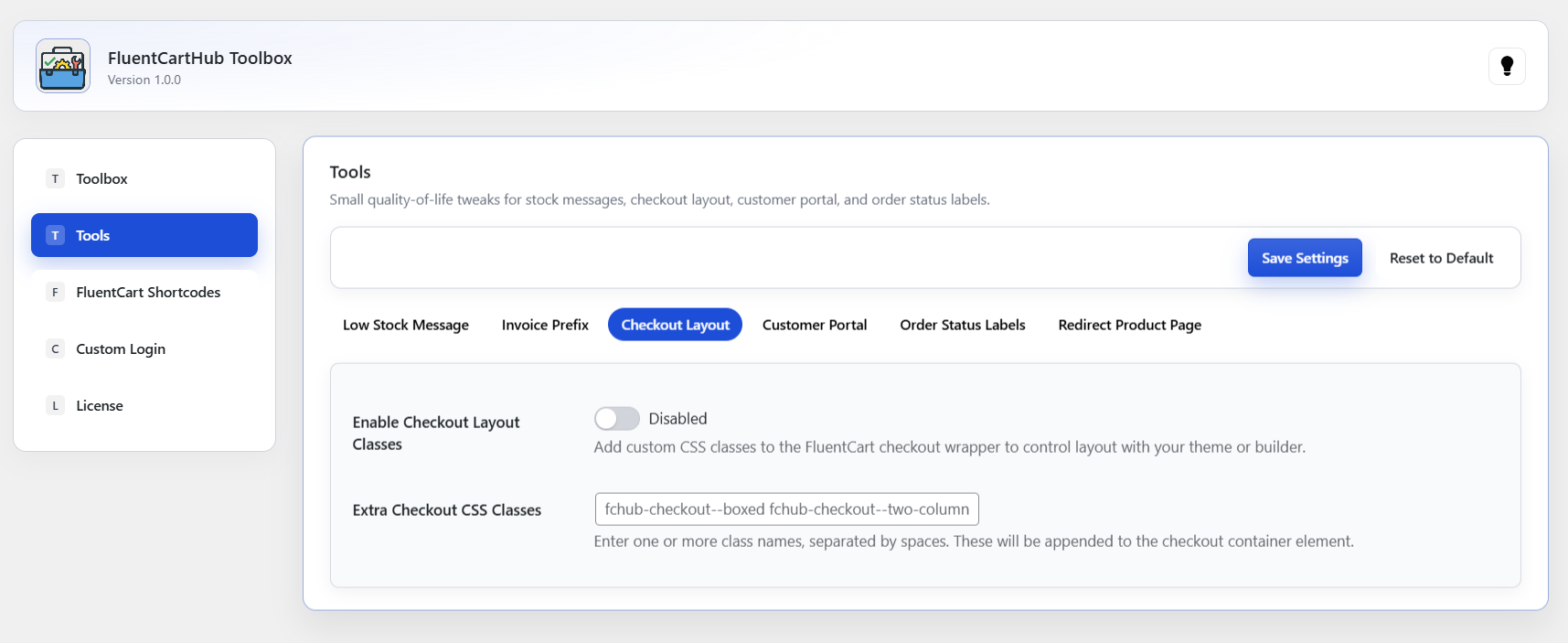
Switch your checkout to a boxed layout, two-column layout, or a builder-friendly container by adding simple CSS utility classes. Toolbox makes it effortless to create the checkout style you want.
Choose which tab opens first when customers log into their account, Orders, Subscriptions, Profile, or any FluentCart tab. A small change that makes a huge difference in usability.
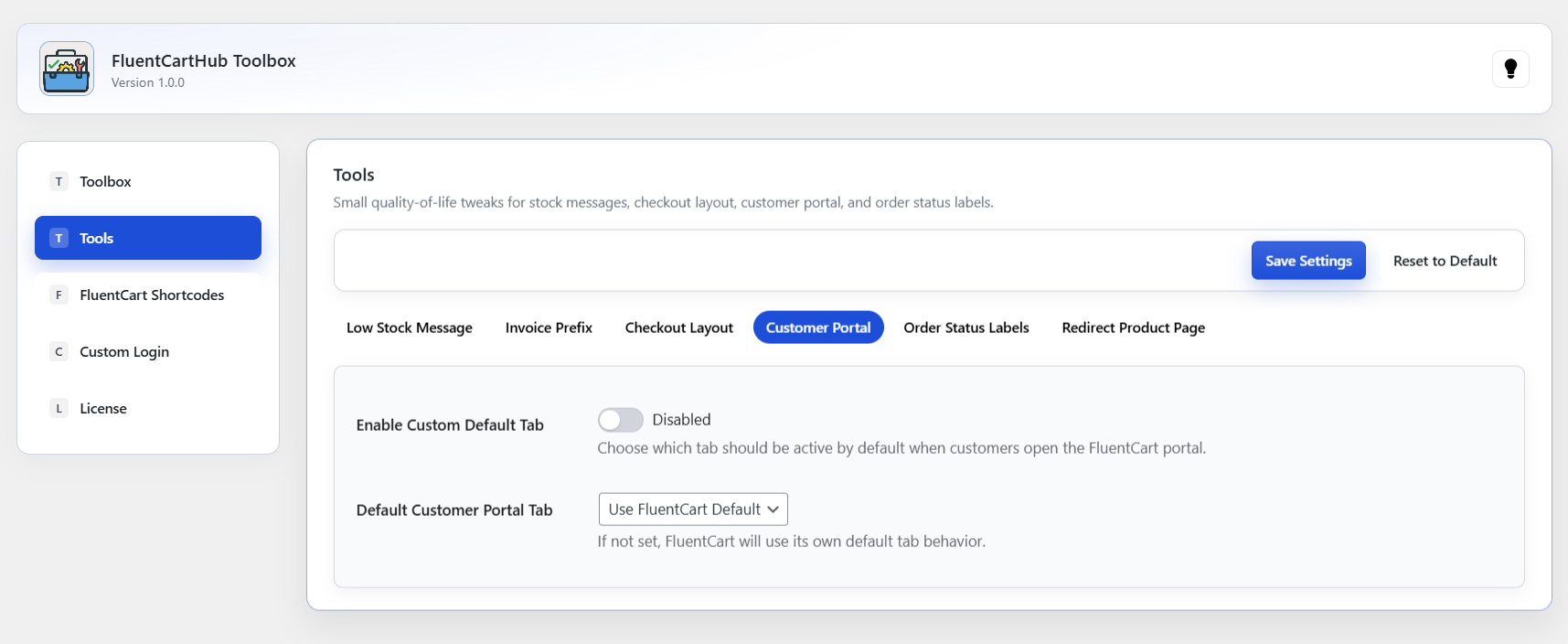
Match FluentCart’s order statuses to your business language by renaming labels through a simple text field. Your backend workflows stay untouched only the visible labels change.

Replace FluentCart’s built-in product page with your own custom landing or sales page. Automatically redirect visitors to a URL based on the product slug, giving you full control over the product presentation while keeping FluentCart’s backend logic intact.
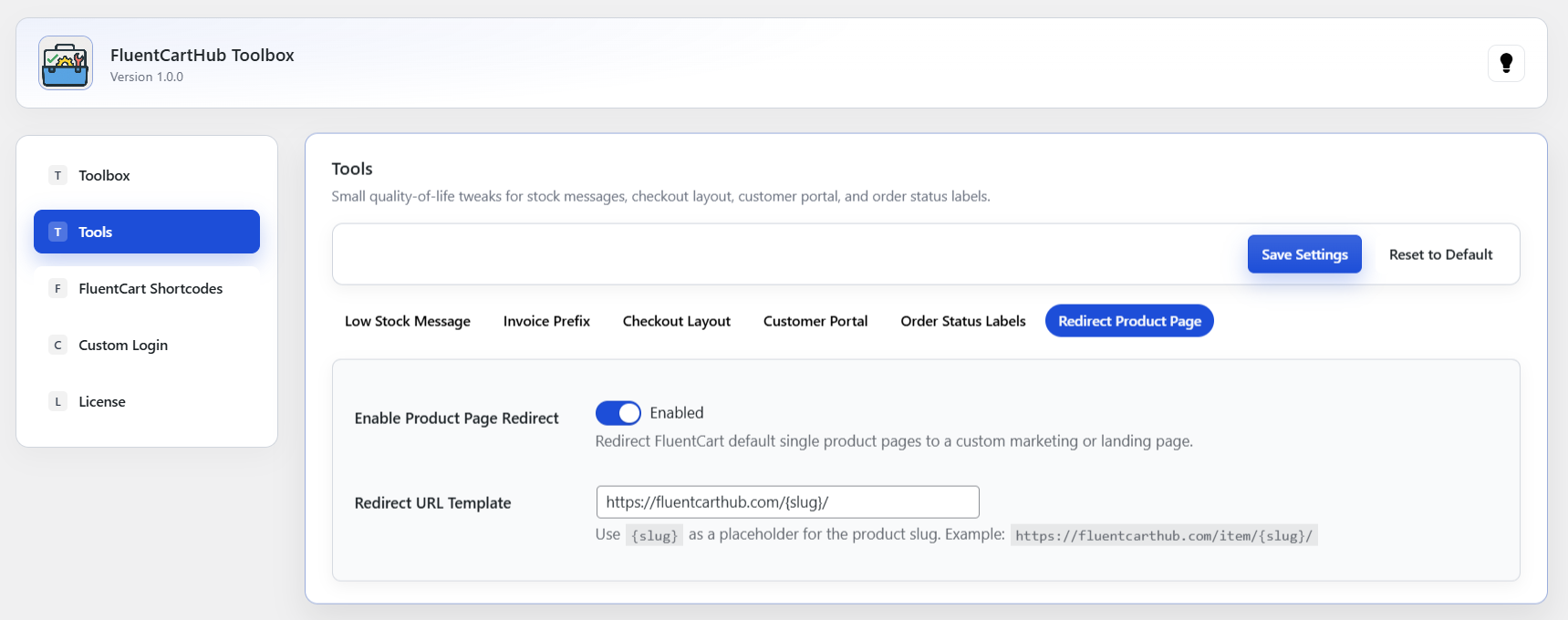
Configure toolbox shortcode behavior, visibility, and UI labels for FluentCart products and their variations.
These shortcodes allow you to pull product and variation data into any page builder, including Gutenberg, Elementor, Divi, Breakdance, or custom templates, giving you full control over how product information is displayed.
These shortcodes provide dynamic product information based on the selected product ID.
They can be used in landing pages, custom product templates, comparison tables, or anywhere you want to display FluentCart product data manually.
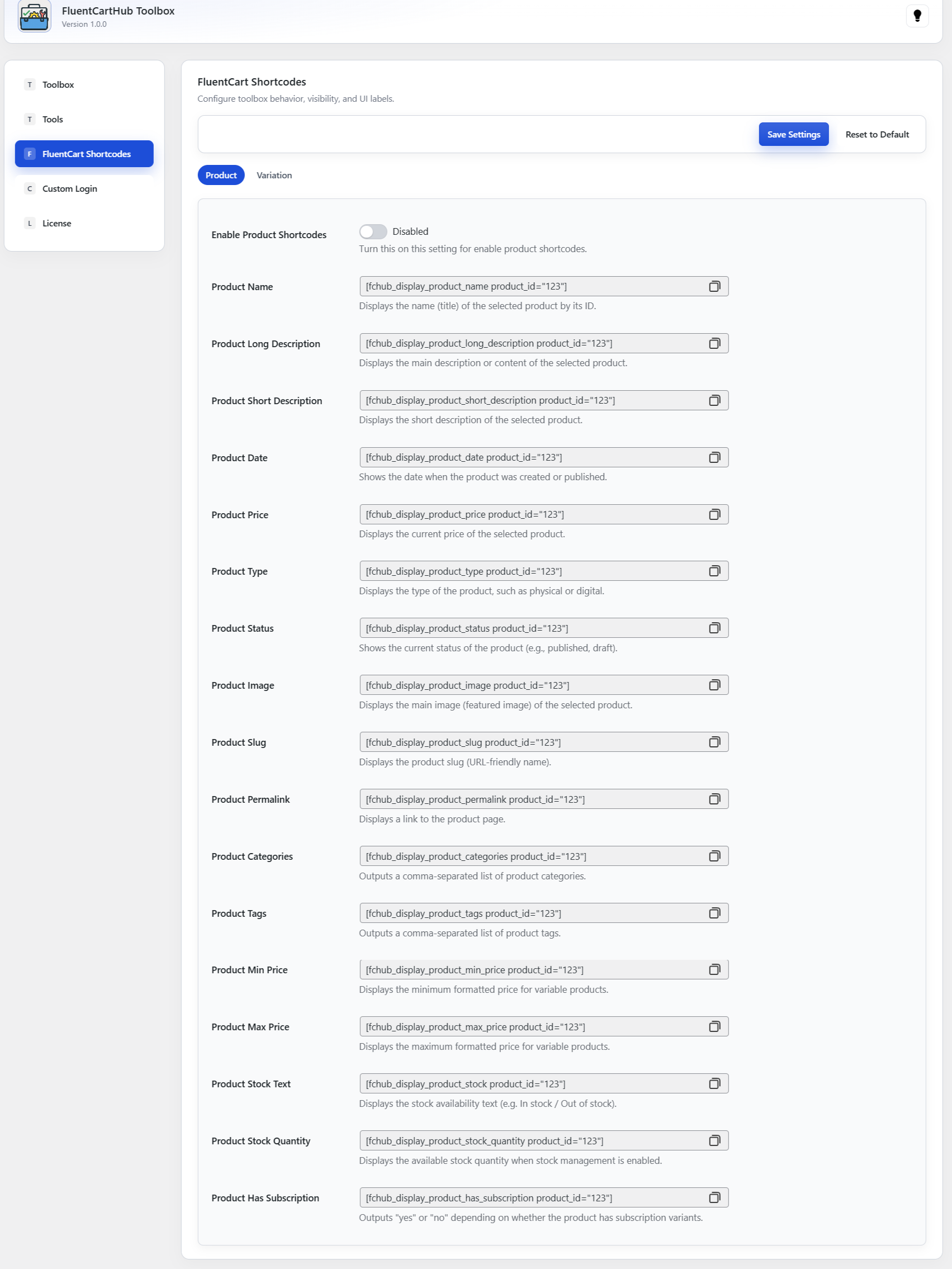
Each shortcode automatically returns clean, formatted output.
[fchub_display_product_name product_id="123"]
[fchub_display_product_price product_id="123"]
These shortcodes output variation-level data for variable products, giving you full flexibility to show custom pricing, stock status, thumbnails, or subscription terms.
Perfect for advanced templates, custom variation comparison blocks, feature sections, or upsell widgets.
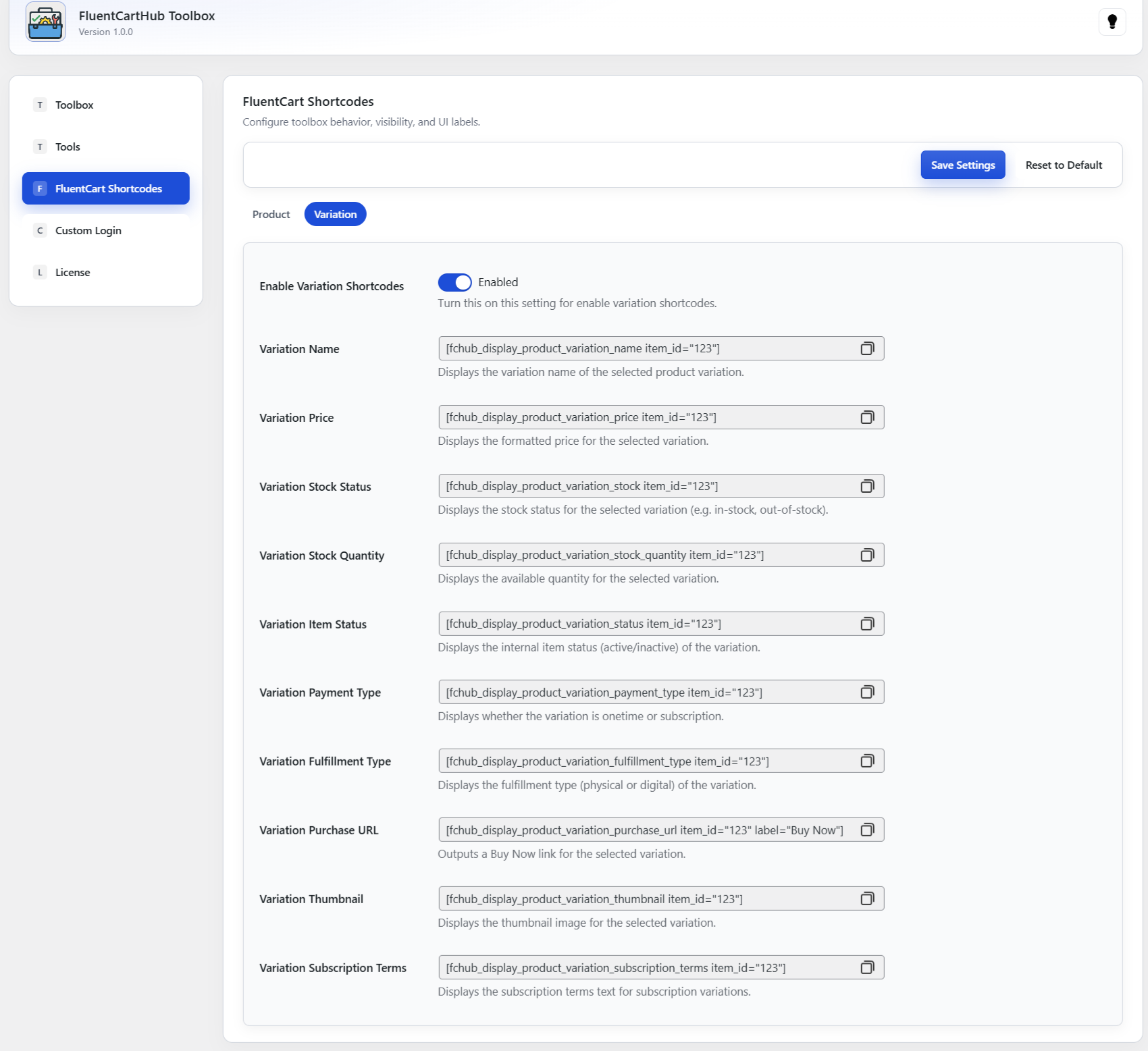
[fchub_display_product_variation_price item_id="123"]
[fchub_display_product_variation_thumbnail item_id="123"]
Each shortcode works independently and outputs variation-specific values such as price, stock quantity, SKU status, or subscription details.
| Shortcode | Description |
|---|---|
| Product Name | Displays the product’s name by its ID. |
| Product Long Description | Shows the full product description/content. |
| Product Short Description | Shows the short summary for the product. |
| Product Date | Displays the product creation/publish date. |
| Product Price | Returns the formatted current product price. |
| Product Type | Displays whether the product is digital or physical. |
| Product Status | Shows the current publish status of the product. |
| Product Image | Outputs the main featured image for the product. |
| Product Slug | Displays the product slug (URL-friendly-name). |
| Product Permalink | Outputs a link to the product page. |
| Product Categories | Returns a comma-separated list of categories. |
| Product Tags | Returns a comma-separated list of tags. |
| Product Min Price | Shows minimum variable price. |
| Product Max Price | Shows maximum variable price. |
| Product Stock Text | Displays formatted stock availability text. |
| Product Stock Quantity | Shows available stock value. |
| Product Has Subscription | Returns “yes” or “no” for subscription support. |
| Shortcode | Description |
|---|---|
| Variation Name | Displays the selected variation name. |
| Variation Price | Outputs the formatted price for the variation. |
| Variation Stock Status | Shows variation stock availability. |
| Variation Stock Quantity | Displays available variation quantity. |
| Variation Item Status | Returns the internal active/inactive status. |
| Variation Payment Type | Indicates one-time or subscription payment. |
| Variation Fulfillment Type | Shows whether the variation is digital or physical. |
| Variation Purchase URL | Outputs a Buy Now URL for this variation. |
| Variation Thumbnail | Displays variation-specific thumbnail image. |
| Variation Subscription Terms | Shows formatted subscription terms. |
Shortcodes work seamlessly across all builders and inherit FluentCart’s formatting automatically.
Combine multiple shortcodes to create fully custom product layouts, pricing tables, or advanced offer pages.
Replace the default WordPress login with a modern, FluentCart-styled customer login page. Control where the login form appears, what happens after login, and how the entire experience looks and feels – all from one clean settings panel.
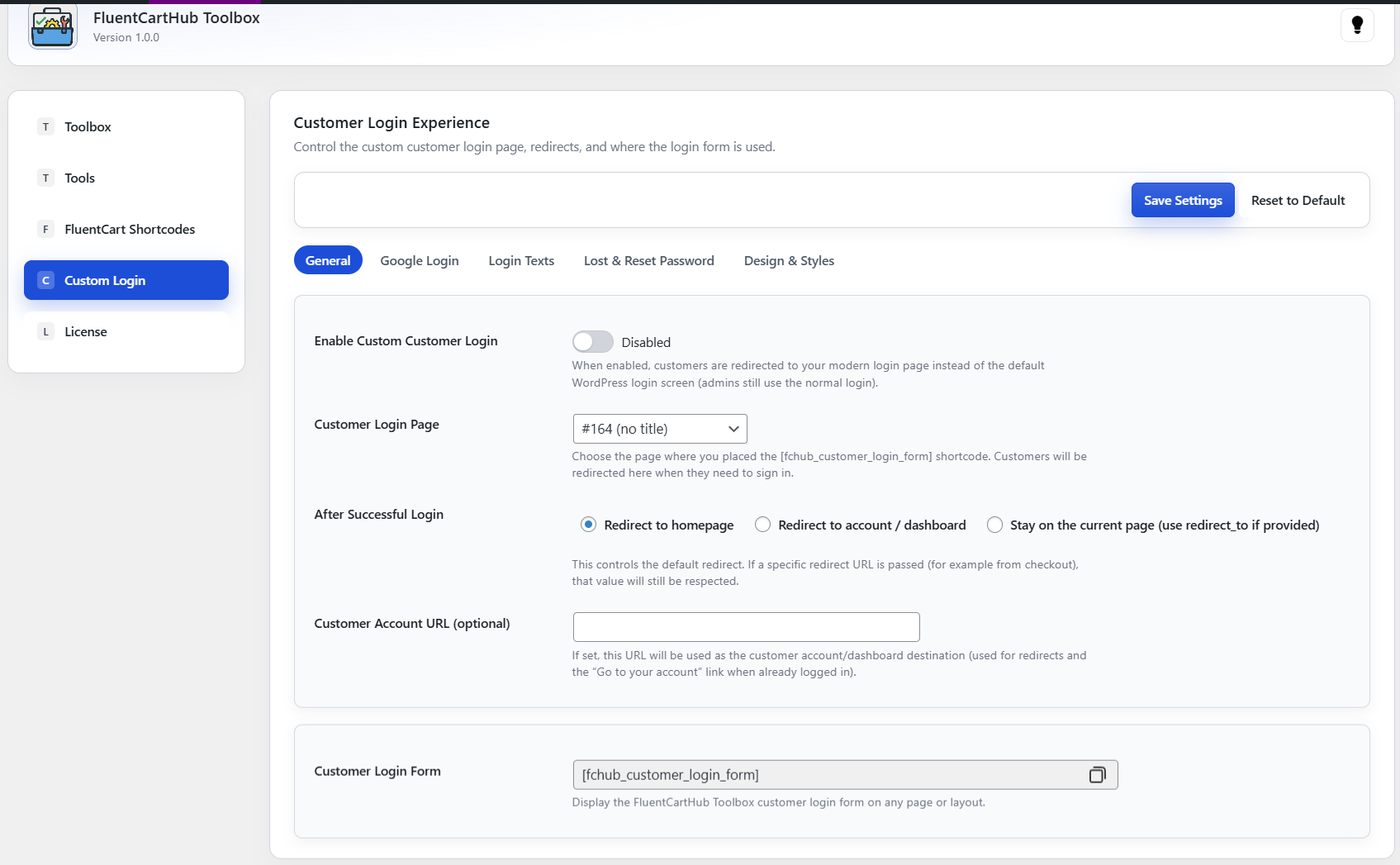
Choose a dedicated customer login page, decide what should happen after successful login, and optionally define a custom account URL. The built-in shortcode makes it easy to embed the login form into any page or layout.
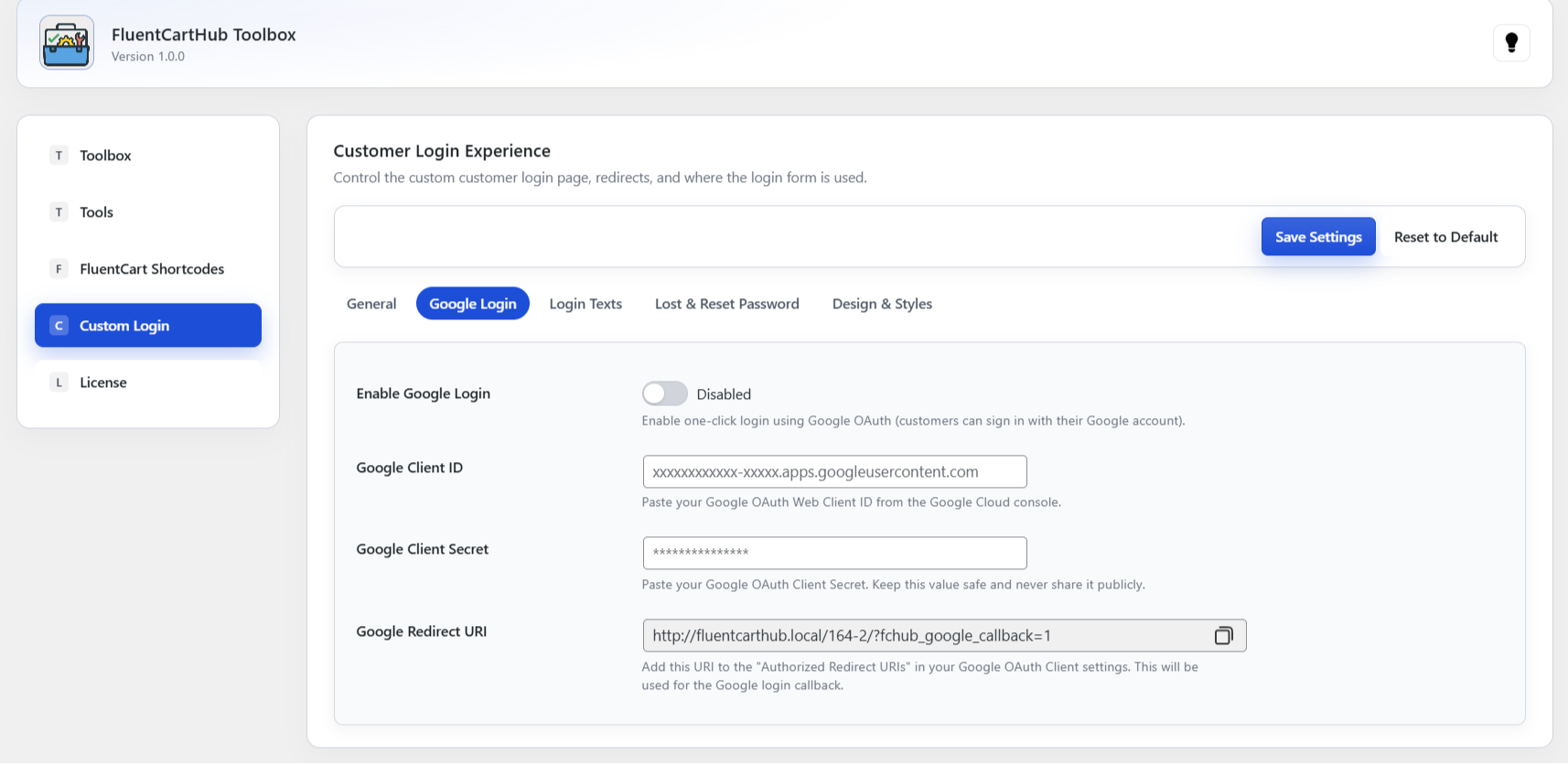
Offer customers a faster way to sign in using their Google account. Simply paste your Google OAuth Client ID and Secret, and Toolbox handles the rest – including the redirect URL and callbacks.
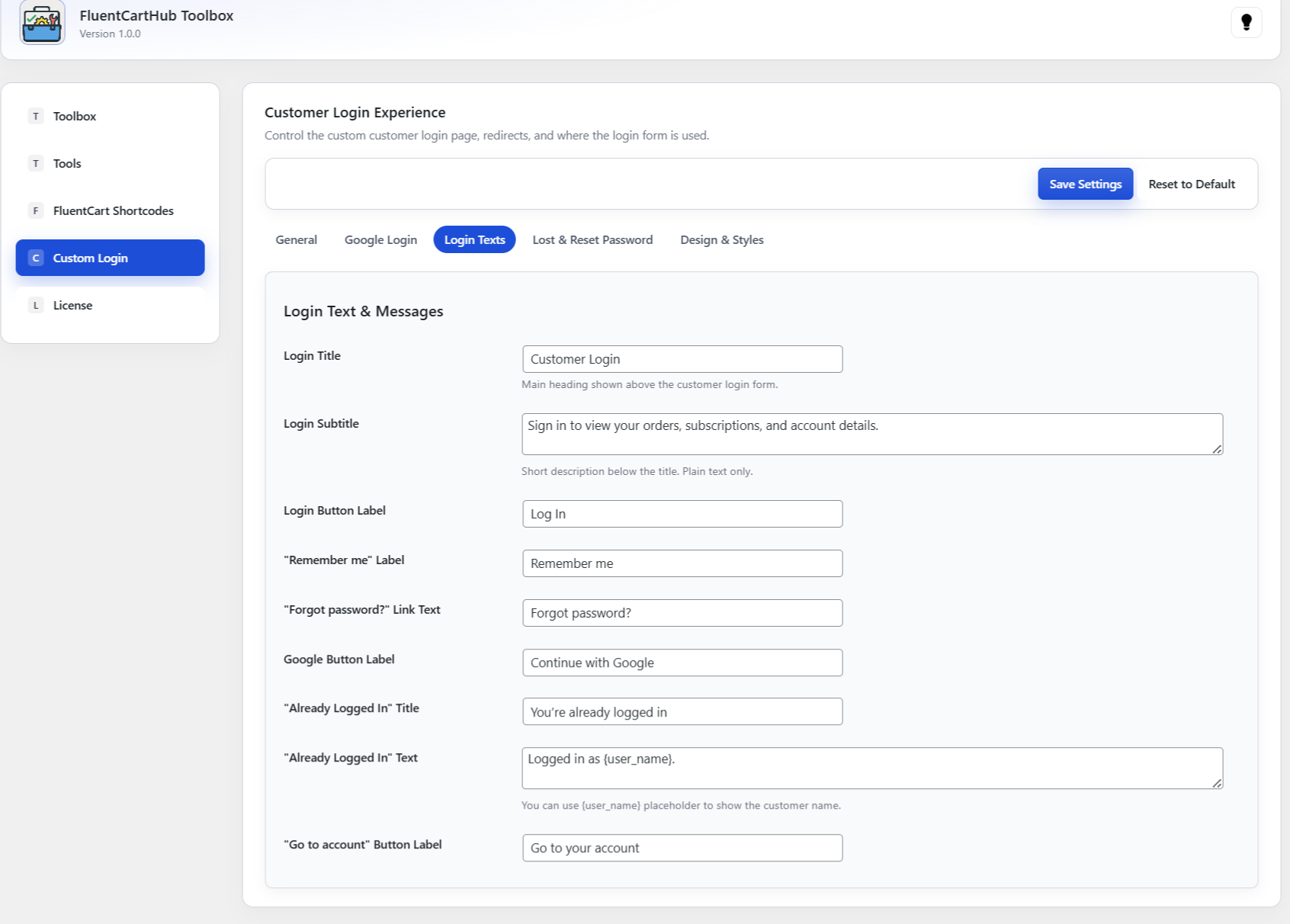
Match the login experience to your brand voice. Customize every label and message shown on the login screen – from the main heading and subtitle to button labels, “Remember me”, and helper text for logged in customers.
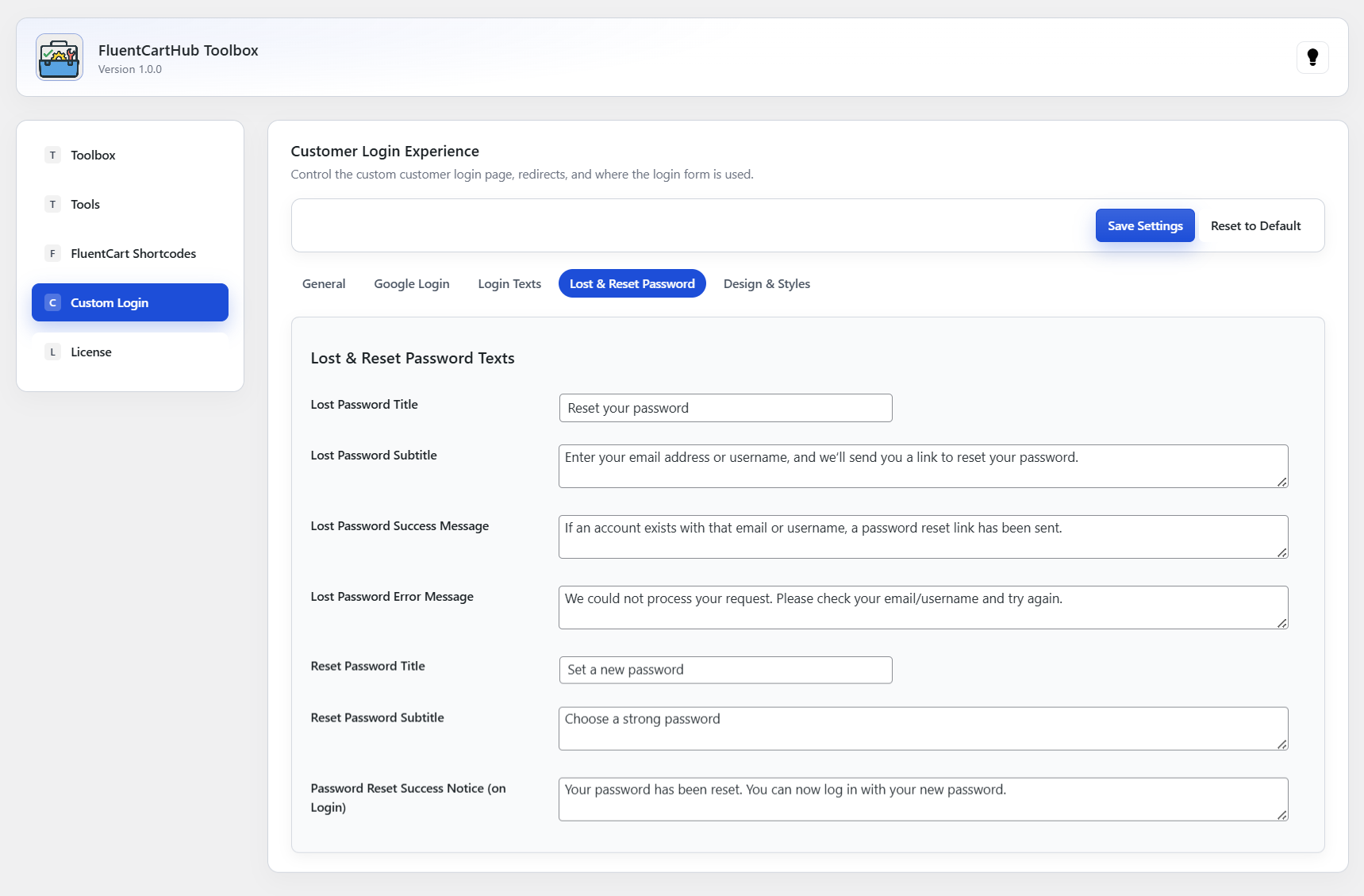
Keep your password recovery flow on-brand and easy to understand. Customize all text shown on the “lost password” and “reset password” views, including success and error messages and the final confirmation shown after reset.
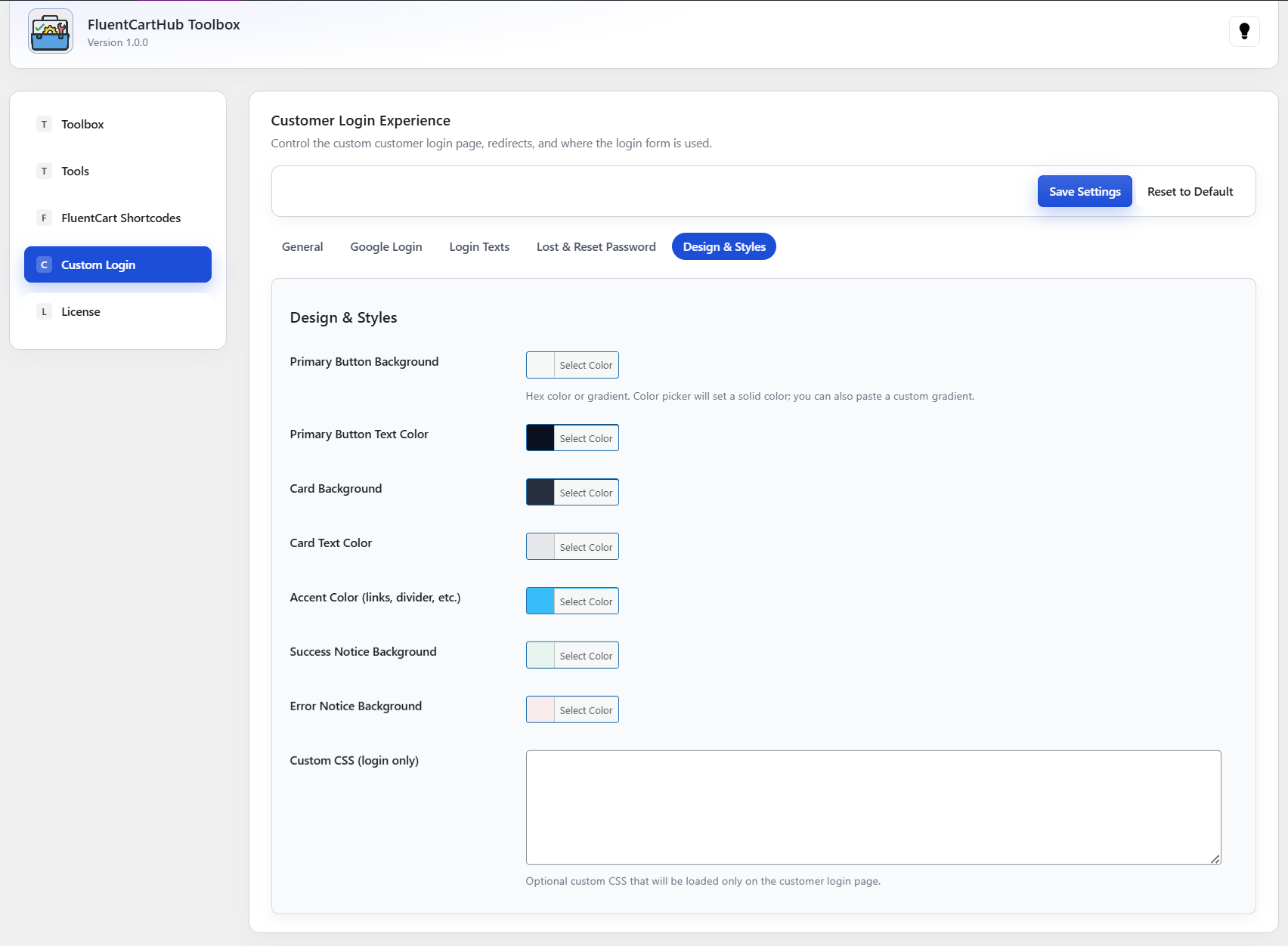
Make the login page feel native to your brand with full control over colors and styling. Adjust button, card, and accent colors, plus notice backgrounds, and optionally add custom CSS that loads only on the login page.
Built to extend FluentCart the right way — no hacks, no clutter, just results.
Uses official FluentCart hooks & data models — no fragile overrides or custom post types.
Optimized for performance — loads only where needed, adds zero bloat to your store.
Clean, accessible interfaces that blend seamlessly with FluentCart and your theme.
Backed by ongoing improvements, documentation, and responsive support.
Easily enable or disable all Toolbox features site-wide with a single toggle.
Output product name, price, description, images, and other fields anywhere using simple shortcodes.
Display variation attributes like size, color, and custom fields with builder-friendly shortcodes.
Show dynamic low-stock alerts with customizable text, styling, and {qty} variables to drive urgency.
Add fully customizable invoice prefixes to organize and brand your order numbers.
Adjust checkout layout, labels, messages, and structure for a cleaner and more optimized checkout flow.
Modify customer portal titles, text, and UI elements to match your branding and improve clarity.
Rename, simplify, or rebrand FluentCart order statuses for a clearer customer experience.
Customize your login page colors, backgrounds, typography, and layout for a modern branded experience.
Enable a clean, one-click Google Login button to improve customer convenience and conversion.
Built directly on FluentCart APIs with zero bloat—fast, stable, and fully native to the platform.
Pick Yearly or One-time. Every plan includes all features.
Requires FluentCart 1.0+ and WordPress 6.0+.
We’re actively improving this add-on. Need something specific for your FluentCart store? Suggest a feature and we’ll consider it for the next release.
Request a Feature